Law Enforcementv2.4.1
CAD System
Powerful CAD for ESX / QBCore with real-time records
Overview
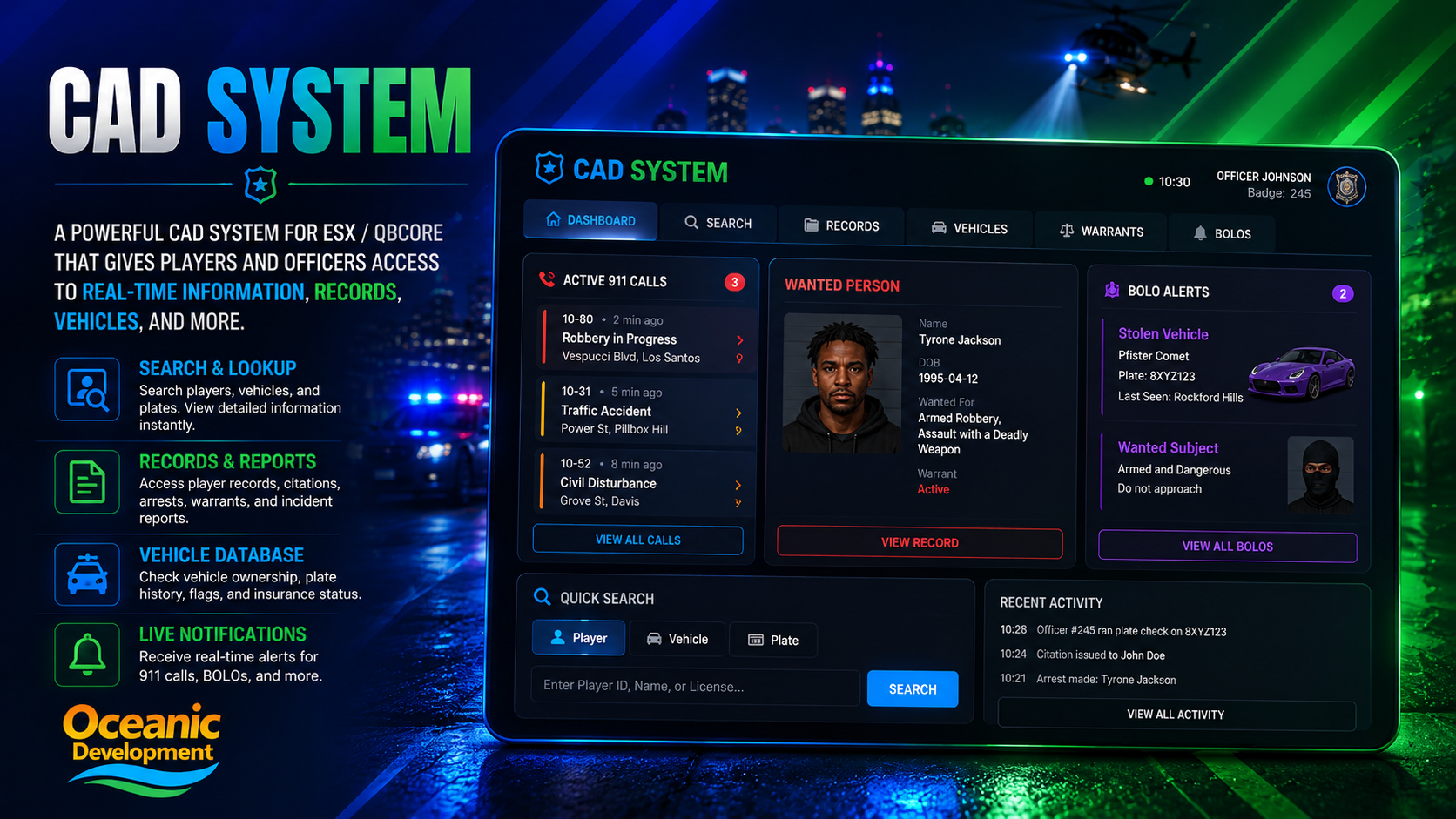
A powerful CAD System for ESX / QBCore that gives players and officers access to real-time information, records, vehicles and more — wrapped in a clean tablet-style UI.
Features
- Active 911 calls & dispatch board
- Player, vehicle & plate search
- Records: citations, arrests, warrants, reports
- Vehicle database with flags & insurance
- BOLO alerts & wanted persons
- Live notifications for officers
01. Installation
Drop into your resources folder, import the SQL and start the resource. Takes under a minute.
terminal
# 1. Drop into resources
cd resources/[oceanic]
git clone https://github.com/oceanicdevelopment/cad-system

# 2. Import SQL
mysql -u root -p server < cad-system/install.sql

# 3. Add to server.cfg
ensure cad-system
02. Configuration
Edit config.lua to match your framework and preferences.
config.lua
Config = {}
Config.Framework = "qb-core"      -- qb-core | esx
Config.Locale = "en"
Config.UseBOLOs = true
Config.DispatchChannel = 1
Config.Departments = { "lspd", "bcso", "sahp" }
return Config
03. Exports
Use these from any other resource to integrate CAD System into your server.
exports['cad-system']:openCAD()Opens the CAD UI for the calling playerexports['cad-system']:createDispatch(data)Push a 911 dispatch alertexports['cad-system']:hasWarrant(citizenId)Returns true if a citizen has an active warrant